


Sign In

How many vehicles
or assets do you have?

Your Driver App.
Built for the Road.

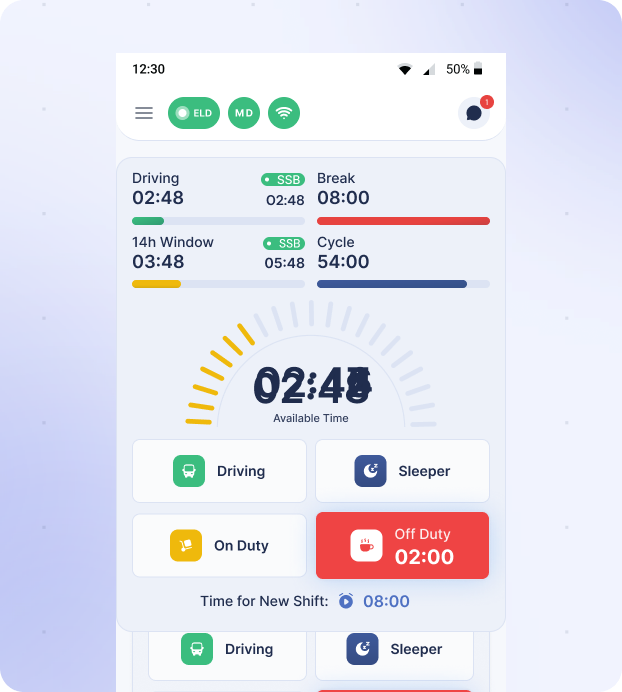
Real-time HOS tracking, one-tap duty status changes, DOT inspection tools, and inspection-ready logs — all in one simple mobile app.

Trusted by 5,000+ fleets worldwide

Built for the Road.
Powered by Fortune ELD.

Your device, HOS, and driver logs stay connected in real time — capturing duty changes automatically and keeping every record inspection-ready. No third-party tools. No sync delays.

Hours of Service

Hours of Service, always accurate

Driving, break, 14-hour window, and cycle clocks update live from the engine — so drivers always know exactly where they stand.
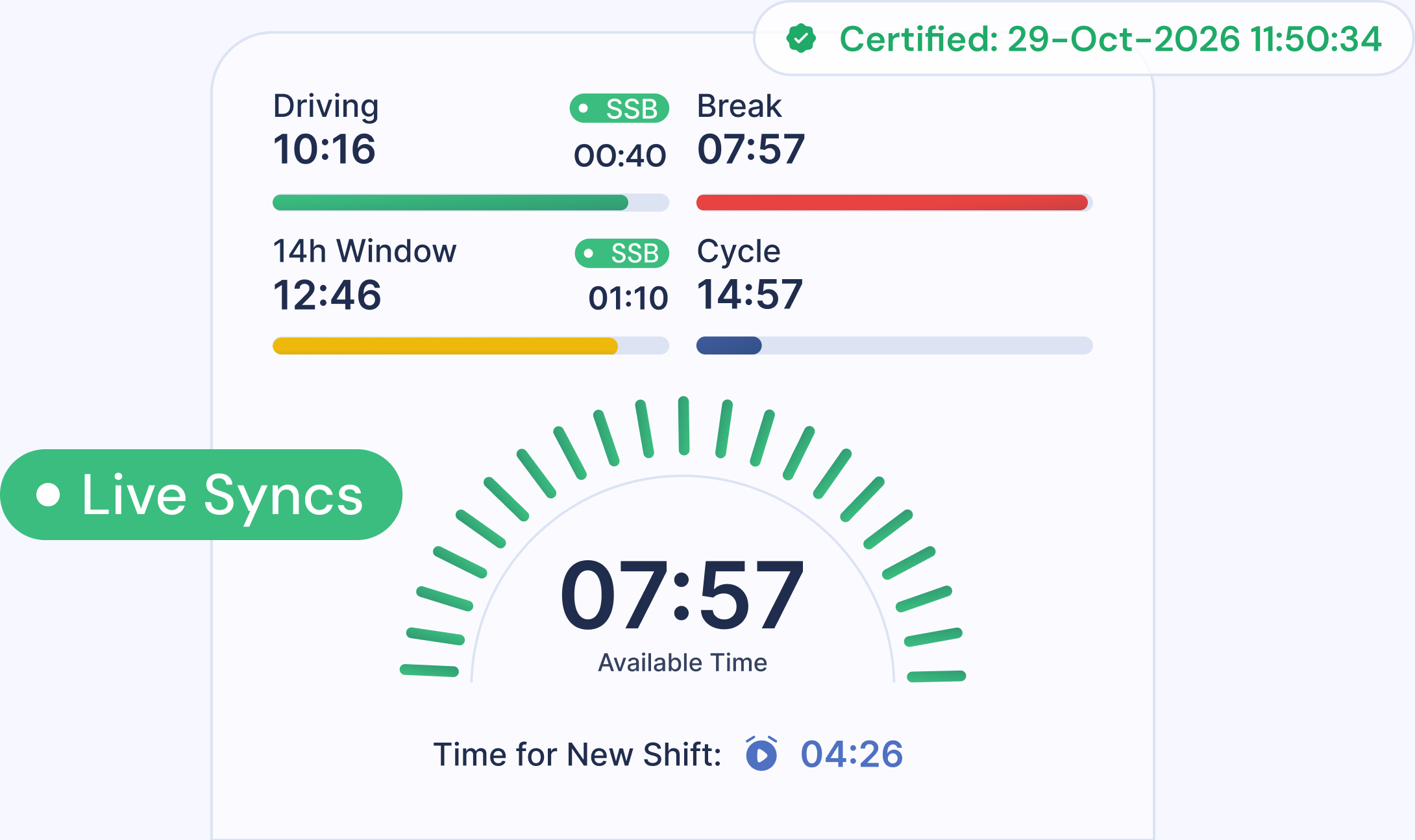
Fortune ELD live Hours of Service clocks
Duty Status

Change duty status in a single tap

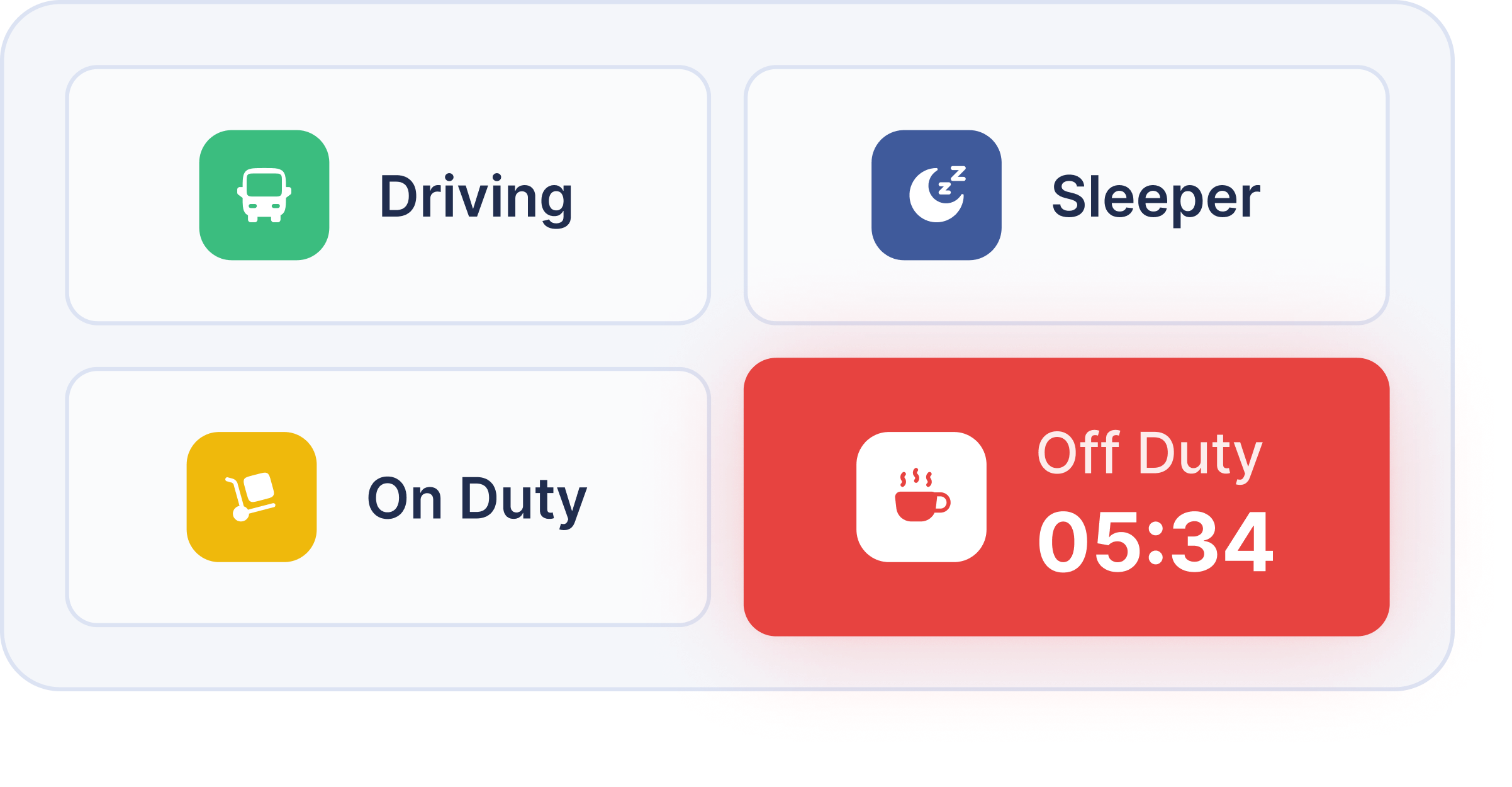
Switch between Driving, Sleeper, On Duty, and Off Duty instantly. The app handles the rest and keeps the logbook in sync.

Fortune ELD duty status controls
Maintenance

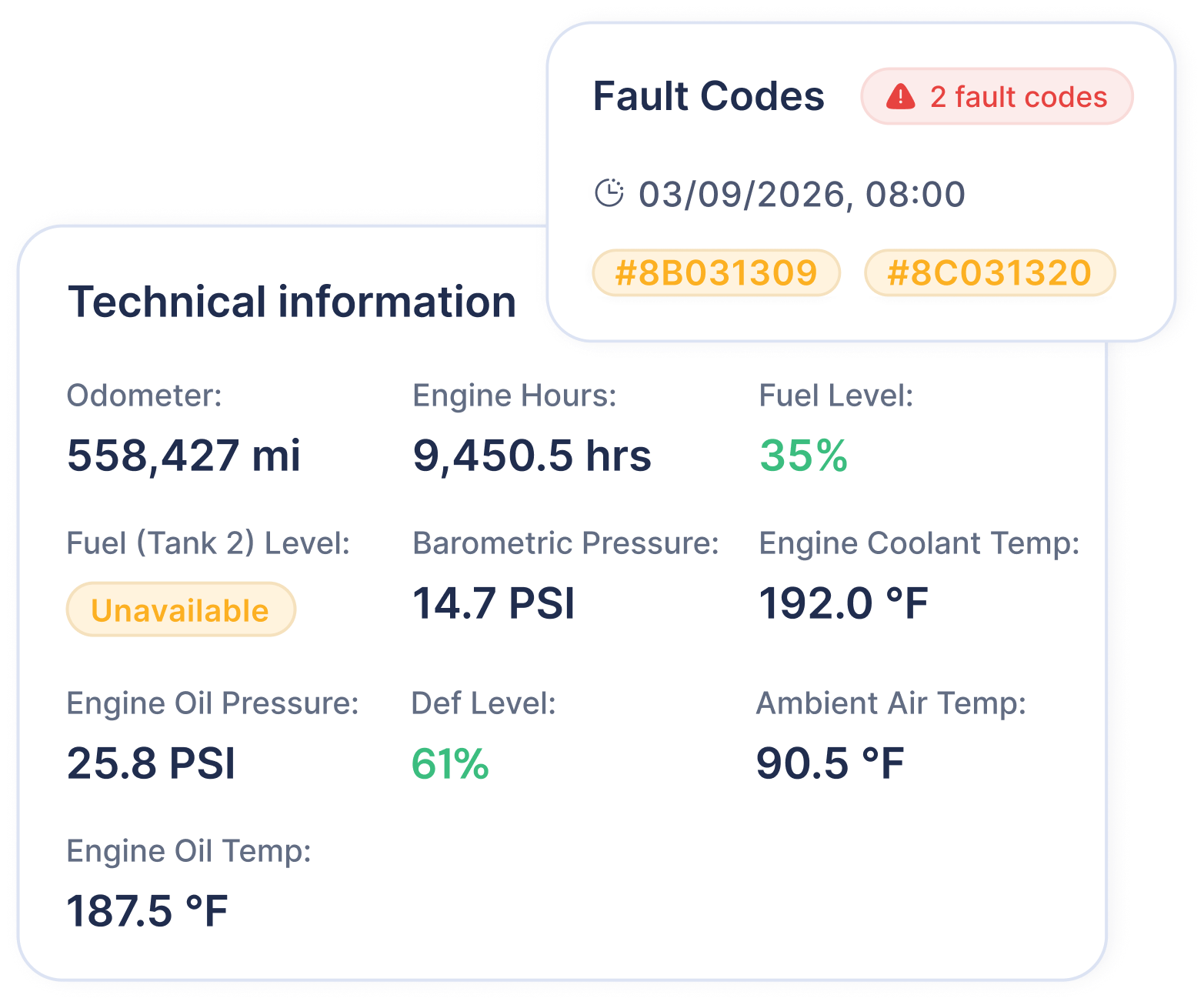
Smart diagnostics

Stay ahead with real-time
truck health insights

Fortune ELD vehicle diagnostics
Digital Documents

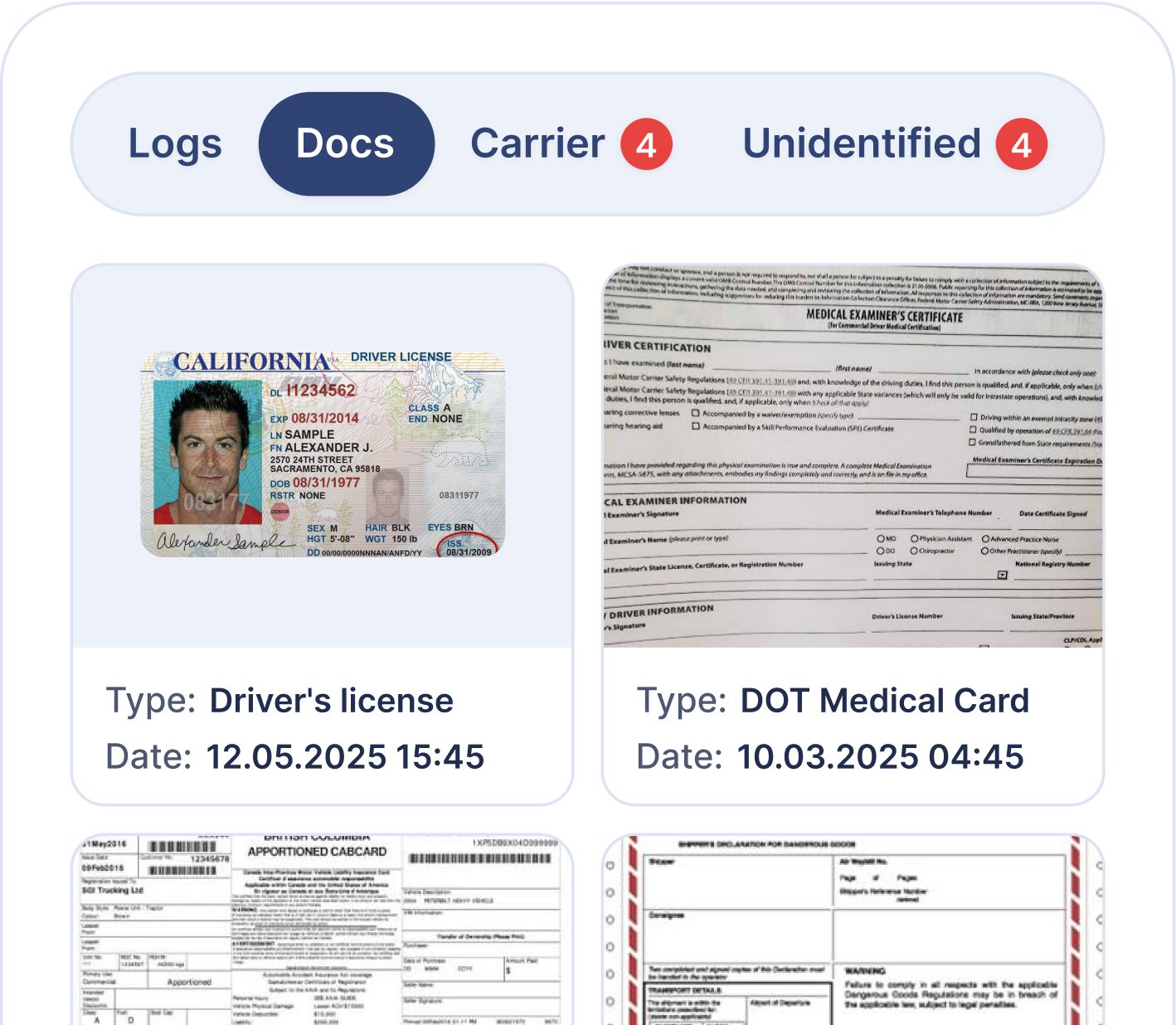
No more paperwork

Upload permits, certificates, and important documents from your dashboard.

Fortune ELD digital document center
Dark Mode

Dark Mode

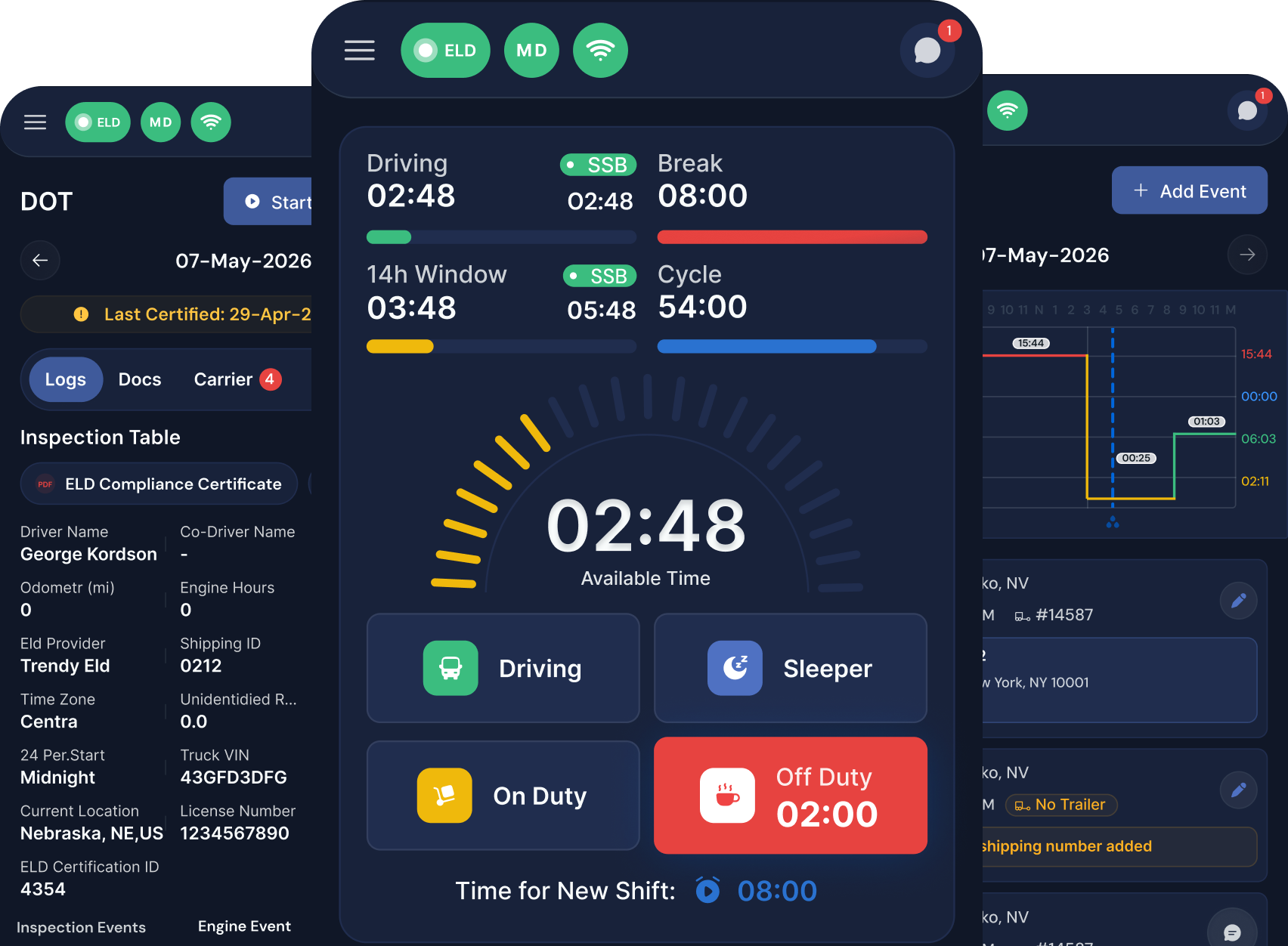
Drive with comfort
— less glare, more focus

Fortune ELD app in dark mode

Key Benefits

One app for HOS, inspections, documents,

and driver control — fully integrated with Fortune ELD.

Compliance

DOT Ready

Inspection-ready logs

Certified logs, DOT mode, and driver documents ready when it matters.

Simplicity

1 App

Everything in one workflow

HOS overview, smart logbook, settings, and documents in one easy-to-use app.

Driver-First

24/7

Built for life on the road

Diagnostics, dark mode, and tablet support help drivers stay in control anywhere.

How It Works

Four simple steps from setup to inspection-ready logs

Step 01

Download & sign in

Install the app and log in with your driver account in minutes.

Step 02

Connect to your truck

Pair with your Fortune ELD device and start syncing automatically.

Step 03

Drive with everything in one app

Track HOS, switch duty status, and keep documents close at hand.

Step 04

Review & stay inspection-ready

Certify your log, access DOT mode, and send records when needed.

Who is this for

Built for every
seat in the cab

One easy-to-use app
for drivers, teams, and fleets.

Company drivers

Clean logs with less effort

  • Auto duty
  • Live HOS
  • One-tap certify
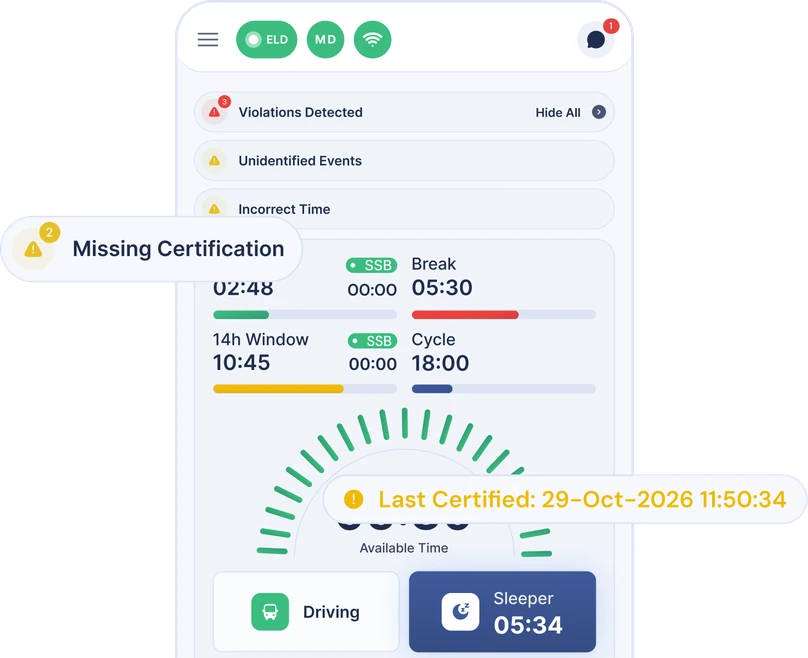
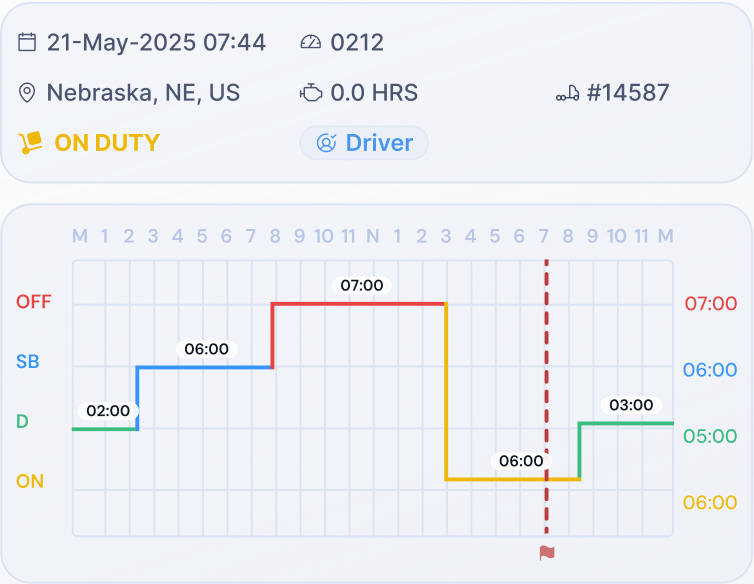
Fortune ELD driver Hours of Service dashboard with violation and certification alerts

Fleet managers

Keep drivers visible and ready

  • Fast onboarding
  • Trip review
  • Live visibility
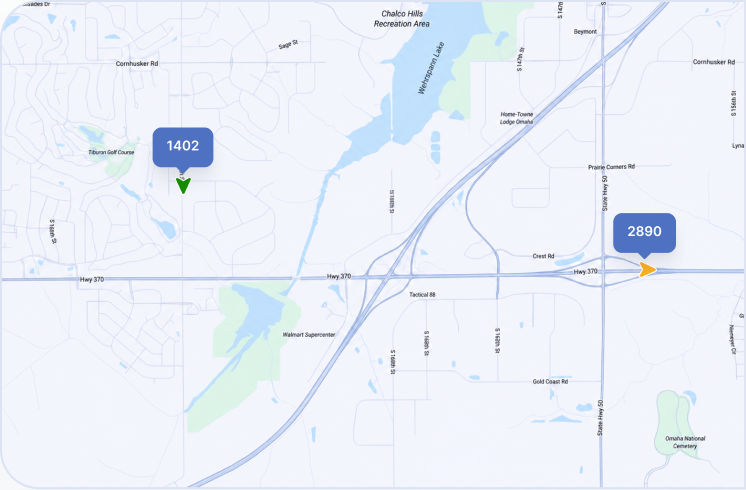
Fleet map showing live driver locations and status

Co-drivers

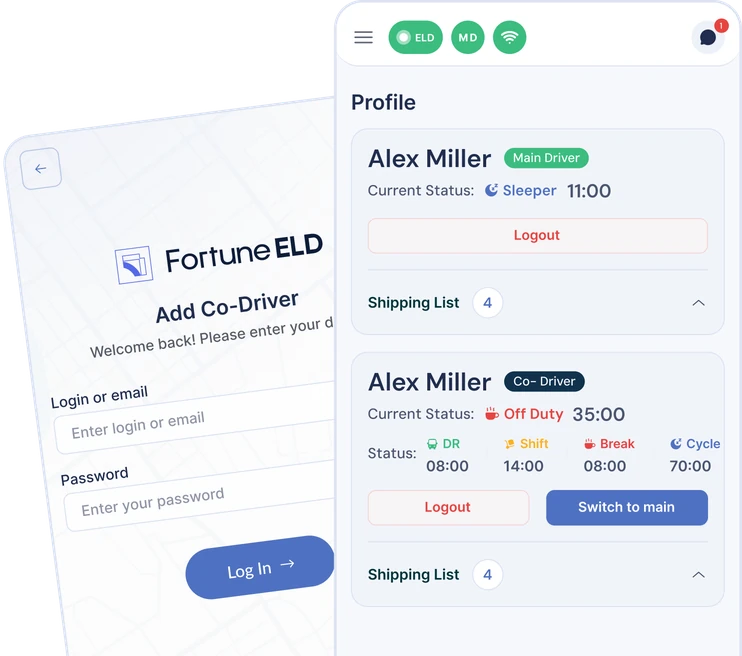
Two logbooks in one app

  • Tap to switch
  • Two driver logs
  • Shared truck info
Fortune ELD co-driver login and profile screens

Owner-operators

Stay compliant on your own

  • Quick setup
  • DOT mode
  • Built-in DVIR
Driver status summary and inspection log graph

Drive Compliant.
Stress Less.

Fortune ELD puts a full compliance team in the driver's pocket —
automatic HOS, instant duty changes and DOT-ready logs, every mile.

Fortune ELD puts a full compliance team in the driver's pocket — automatic HOS, instant duty changes, and inspection-ready logs.

Made for fleets

More from the Fortune ELD platform

Every product runs on the same data layer —
set up once, switch on whatever you need.

Driver App

Give drivers one easy-to-use app for logs, inspections, documents, and communication

Driver app

ELD & Compliance

Connect driver status, HOS data, and inspection-ready records with live fleet activity.

Compliance

AI Dashcams

Review critical road events with video context from driver- and road-facing cameras.

Safety

Cargo Sensors

Monitor temperature, humidity,
and door status to protect every reefer load.

Cargo

Frequently Asked Questions

Everything drivers and fleet teams need to know about the Fortune ELD mobile app, HOS tracking, DOT inspections, logbooks, documents, and driver support.

Drivers can manage HOS logs, change duty status, review available hours, complete DVIRs, access DOT inspection mode, view fleet documents, check truck diagnostics, and certify daily logs from one app.

Yes. The app is designed for fast, simple use on the road, with clear HOS clocks, quick duty-status controls, easy navigation, dark mode, and support for both phones and tablets.

The Fortune ELD app connects to the truck’s ELD device and updates driving time, shift limits, break time, and cycle hours in real time. Drivers can review their current HOS status directly from the main screen.

Yes. Two drivers can use separate logbooks inside one app and quickly switch between the active driver and co-driver without signing in again or changing devices.

Drivers can open DOT inspection mode in a few taps, review certified logs, access required ELD information, and transfer records when requested during a roadside inspection.

Yes. Fleet managers can upload permits, licenses, certificates, and other documents from the web dashboard. Drivers can then view them directly inside the Fortune ELD app.

Yes. Drivers can complete pre-trip and post-trip DVIRs, review truck information, and view available diagnostic and fault-code data from the app.

Yes. Drivers can use dark mode for reduced glare at night, customize key settings, and access the same core features on supported phones and larger tablet screens.

Yes. Fortune ELD keeps drivers and the back office connected through live HOS data, driver status updates, unidentified trip review, and synchronized compliance information.

Drivers and fleet teams have access to 24/7 support for app setup, ELD connection, logbook questions, DOT inspections, and other issues on the road.